
Features
12 signals from the social layer, and the switches behind them
XHuntr watches what the accounts you track do on X — the communities they build, rename and post contract addresses inside — and pushes every change to Telegram. Here is each signal, what triggers it, and the controls you have over it.
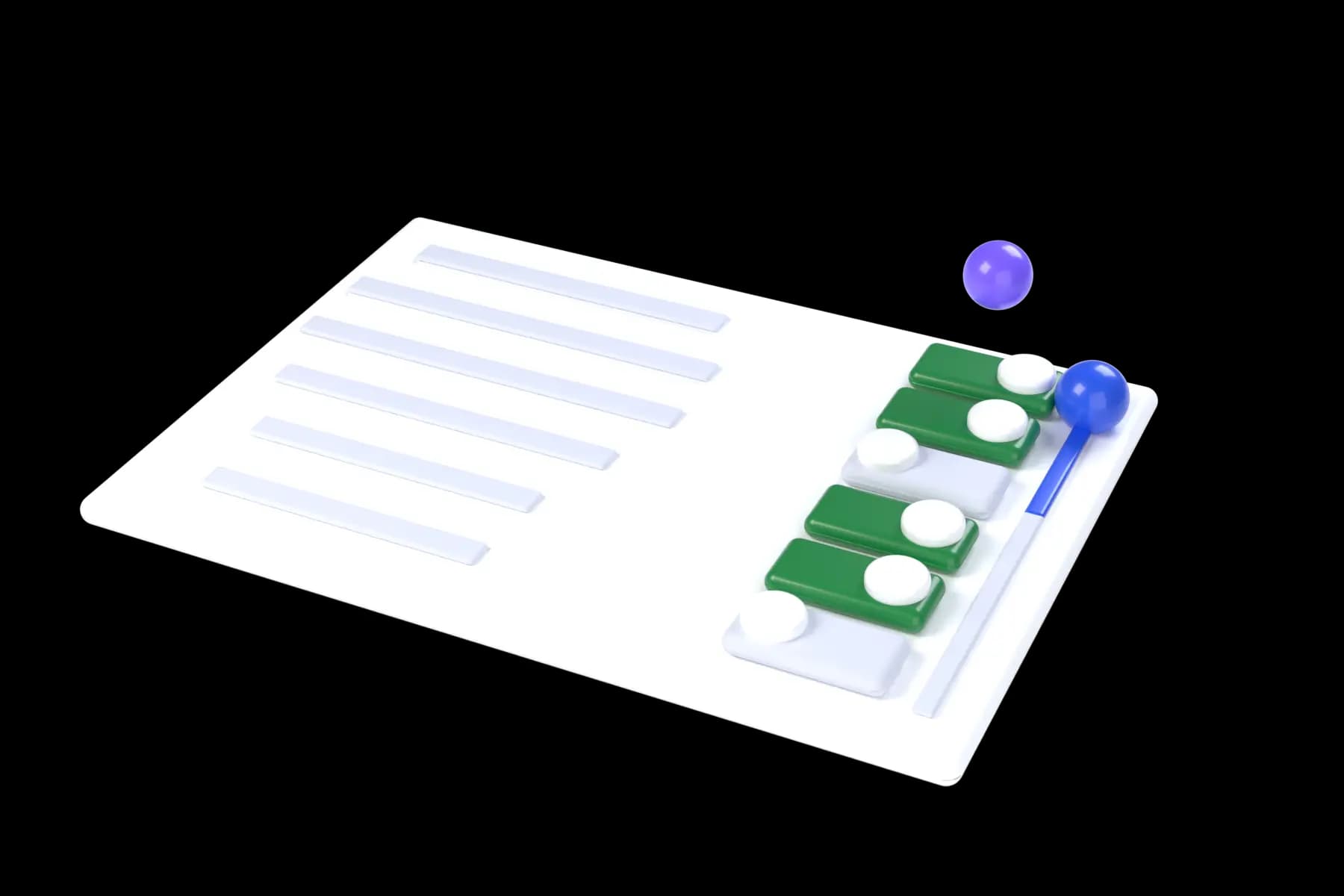
Tap any alert switch to turn it off, the way you would in the bot, and watch the counters follow.
/settings
- Members
- Ignore communities above a member count, so crowded rooms stay quiet.
- Speed
- Fast, Normal or Slow: how often your tracked accounts are checked for new communities. One setting for the whole roster.
- Volume
- Quiet hours in UTC, and a cap on alerts per hour.
All 14 switches on. Every alert the bot can send reaches your Telegram.
Community intelligence
Signals about the rooms themselves: created, renamed, redescribed, rebranded, used to share an address, or shut down. Community state is polled about every minute.
CA in CommunityAddress before the public tweetExample alert
- What it detects
- A contract address posted inside an X community you're watching, rather than on the public timeline.
- When it fires
- The moment the address appears in the community, which is routinely before the announcement tweet.
- Why it matters
- Devs hand the CA to their own room first. That gap between the community post and the public tweet is the whole edge.
In the alert
- Token name and full contract address
- Live DexScreener market data
- Trojan quick-buy link
- Which community it was posted in
What you do next: Check the DexScreener data in the alert, then buy from the alert if the chart supports it.
How often: Fires whenever a tracked community gets a CA, bursty, tied to launch activity.
XHuntr
bot
CA in community
Contract address posted inside a tracked community
- Inside tracked community
- $TICKER
- 7xKX…9fQa
- mcap and 1h volume from DexScreener
LaunchingCaught at mintExample alert
- What it detects
- A brand-new coin whose metadata links back to a community you already track.
- When it fires
- At mint, the link between the fresh token and the tracked community is caught as the coin is created.
- Why it matters
- This is the earliest point a launch is attributable to a group you're already watching, before it has a chart or a following.
In the alert
- Token name, ticker and contract address
- The tracked community it links back to
- Quick-buy link
- Detection timestamp
What you do next: Decide fast, this fires while the token is still at its opening market cap.
How often: Rare and high-signal. A few hundred have fired since launch.
XHuntr
bot
Launching
Fresh coin linked to a community you track
- $TICKER
- 7xKX…9fQa
- Linked community tracked
Community RenameNew name, new narrativeExample alert
- What it detects
- A tracked community changing its name.
- When it fires
- On the next community poll after the change.
- Why it matters
- A generic room renaming itself to a ticker is a group telling its members what's next without announcing it.
In the alert
- Old name and new name
- Member count at the time of the rename
- Link to the community
- Timestamp of the change
What you do next: A rename into a ticker is worth acting on. A cosmetic rename usually isn't.
How often: One of the most frequent community signals.
XHuntr
bot
Community renamed
@feinixsol renamed their community
- Now $Shillcoin
- 428 members
Description ChangedThe room's pitch changedExample alert
- What it detects
- The description of a tracked community being rewritten.
- When it fires
- On the next community poll after the edit.
- Why it matters
- Descriptions get rewritten right before a room starts being used for something, often with the ticker or the thesis in it.
In the alert
- Old and new description text
- The community and its member count
- Link to the community
- Timestamp of the change
What you do next: Read the new text, the change itself is usually less interesting than what it now says.
How often: Fires frequently across a normal watchlist.
XHuntr
bot
Description changed
@cryptoboxreal changed a community description
- $UPCAT
- old and new text included in the alert
Banner ChangedVisual rebrand in progressExample alert
- What it detects
- A tracked community swapping its banner image.
- When it fires
- On the next community poll after the swap.
- Why it matters
- Banner swaps cluster with renames and description edits. Together they read as a room being prepared.
In the alert
- The new banner
- The community and its member count
- Link to the community
- Timestamp of the change
What you do next: Treat it as corroboration, strongest when it lands alongside a rename.
How often: Fires frequently across a normal watchlist.
XHuntr
bot
Banner changed
@cryptoboxreal changed a community banner
- $UPCAT
- new banner attached
Community DeletedThe room closedExample alert
- What it detects
- A tracked account deleting or leaving a community you were alerted about.
- When it fires
- On the next poll after the community disappears from their profile.
- Why it matters
- It closes the loop. A room that appears and then vanishes tells you the play is over or was abandoned.
In the alert
- Which community ended
- Threaded as a reply to your original alert
- The tracked account involved
- Timestamp
What you do next: Use it to stop watching something that's finished, rather than to trade.
How often: Follows whatever your tracked accounts abandon.
XHuntr
bot
Community deleted
A tracked community was deleted or left
- the community from your earlier alert
- threaded as a reply to that alert
Account monitoring
Signals about the people you track: what they tweet, what they pin, what they join, and what gets launched off their name. Accounts are polled continuously on the default Speed; Normal and Slow in /settings check less often.
- Seconds
- Not minutes: the gap between a change on X and the alert
- Continuous
- No scan windows and no schedule — the loop never stops
- 3 speeds
- Fast is the default; Normal and Slow check less often
- Instant
- Delivery to Telegram the moment a change is detected
CA TweetContract address with contextExample alert
- What it detects
- A contract address tweeted by an account you track. Solana, and Robinhood Chain addresses too.
- When it fires
- As the tweet is picked up, tracked accounts' tweets are fetched continuously.
- Why it matters
- A CA on the public timeline is already a race. Getting it pushed to Telegram with the market data attached decides it.
In the alert
- Token name and symbol
- Contract address, tap to copy
- Live DexScreener market data
- Trojan quick-buy link
- Chain resolved automatically: Solana or Robinhood Chain
What you do next: Read the mcap and volume in the alert before you act, most of these are not worth taking.
How often: The highest-volume signal by a wide margin.
XHuntr
bot
CA tweet
A tracked account tweeted a contract address
- $TICKER
- 7xKX…9fQa
- live mcap · 24h volume
Community JoinedWhere their attention wentExample alert
- What it detects
- An account you track joining an X community.
- When it fires
- On the next poll after the join is visible on their profile.
- Why it matters
- Who someone joins is a better read on conviction than what they post, because joining isn't performative.
In the alert
- Community name and member count
- Join policy, open or request
- Link to the community
- Detection timestamp
What you do next: Watch for a second tracked account to follow them in, that's Convergence.
How often: Steady, one of the reliable everyday signals.
XHuntr
bot
Community joined
@kylebands1 joined a community
- Nothing Just Happens
- 73 members
- Open
Pinned Tweet ChangedWhat they're pushing nowExample alert
- What it detects
- A tracked account changing its pinned tweet.
- When it fires
- On the next profile poll after the change.
- Why it matters
- A pin is the one slot an account controls permanently. Changing it is a deliberate statement of current focus.
In the alert
- Preview of the new pinned tweet
- Direct link to the tweet
- Timestamp of the change
What you do next: If the new pin contains a CA, that's the account putting its name on it.
How often: Regular, across an active watchlist.
XHuntr
bot
Pinned tweet changed
@mrnovaaaa changed their pinned tweet
- preview of the new pinned tweet
Coin MentionsA coin attached itself to themExample alert
- What it detects
- A newly created coin whose metadata points at a tracked account's profile or tweet.
- When it fires
- As the coin is picked up.
- Why it matters
- It surfaces tokens being launched off someone's name, sometimes by them, often not. Either way you see it early.
In the alert
- The coin and its contract address
- Which tracked account it links to
- Quick-buy link
- Detection timestamp
What you do next: Check whether the account has actually acknowledged it before assuming they're involved.
How often: Varies with how much a tracked account is being used as a launch hook.
XHuntr
bot
Coin mention
A new coin links a tracked account's profile
- $TICKER
- 7xKX…9fQa
- Not necessarily launched by them
Dev Live on pump.funThey went liveExample alert
- What it detects
- A developer you track starting a live stream on pump.fun.
- When it fires
- As the stream goes live.
- Why it matters
- Streams pull attention and volume onto a token in real time. Being in early is a different trade than joining a trending stream.
In the alert
- Token name, market cap and bonding curve progress
- All-time-high market cap and time since the stream started
- Viewer count plus Trojan and Axiom quick-buy links
- Dev quality filters, graduated tokens, no-rug history, custom
What you do next: Check the bonding curve percentage in the alert before deciding.
How often: Tied to how many streaming devs you track.
XHuntr
bot
Tracked dev live
A tracked developer went live on pump.fun
- $TICKER
- live mcap · ATH mcap
- bonding curve % · dev quality filter
- viewer count · time since live
Convergence: the signal that needs a roster
Two or more of the accounts you track landing in the same X community inside a short window.
Put each tracked account in the room and watch what Telegram gets.
X community
Away From Keyboard
143 members
No alert yet
Convergence needs two accounts you track in the same community. Put them in the room.
When it fires
As soon as the second tracked account joins.
Why it matters
Independent accounts converging on one room is coordination you can see before anything is said publicly.
How often
Genuinely rare, it needs two of YOUR accounts in one room. Tracking more accounts makes it fire more.
Open the community and look at what's being discussed, convergence tells you where, not what.
Anatomy of an alert
Every alert is one Telegram message built to be acted on without leaving it. The CA-in-community format, taken apart.
XHuntr
bot
CA in community
Contract address posted inside a tracked community
- Inside tracked community
- $TICKER
- 7xKX…9fQa
- mcap and 1h volume from DexScreener
Alert formats are documented per signal at docs.xhuntr.com/alerts/types.
EarlyHunt templates
- 💎 Real Launches (CA confirmed)
- 🔥 Front-Run (before the CA)
- 🚀 Pre-Launch Hype
- 🆕 Fresh + Verified (strict)
- ⚡ Ultra-Fresh (under 24h)
- 🍃 Robinhood Chain only
- 🎮 Game Coins
Chain filter
New
Now on Robinhood Chain
Same bot, same signals, one more chain. XHuntr now resolves Robinhood Chain contract addresses alongside Solana.
Robinhood Chain addresses in CA alerts
A contract address tweeted by an account you track is resolved on either chain. Robinhood Chain addresses get their own link row in the alert.
docs.xhuntr.com/alerts/typesA Robinhood Chain only preset in EarlyHunt
Only Robinhood Chain launches, each verified on-chain before the alert fires. NFT and airdrop noise is excluded, and a contract address must be in the post.
docs.xhuntr.com/earlyhunt/overviewA chain filter on every campaign
Restrict any EarlyHunt campaign to Any, Solana or Robinhood Chain. Chain identity is verified from the contract address itself, never from the wording of the post.
docs.xhuntr.com/earlyhunt/tuning
Solana is still the primary focus. Each chain can be switched on or off in /settings; the rest is documented at docs.xhuntr.com.
KOL tracking
Every signal above is per account, and the account can be any public X profile. Add the callers, devs and insiders you already watch — the 31 accounts with a page on this site are examples of what a tracked account looks like, not the set you have to pick from.
31 example accounts with a page on xhuntr.com
- @blknoiz06
- @kookster
- @murad
- @cobie
- @frankdegods
- @moneymaykah_
- @theonomix
- @Cented7
- @Lowskii_gg
- @notdecu
- @vibed333
- @jijo_exe
- @bandeez
- @tilcrypto
- @technoviking46
- @Cupseyy
- @Euris_JT
- @kreo444
- @assasin_eth
- @OrangeSBS
- @ratwizardx
- @ShockedJS
- @CookerFlips
- @RowdyCrypto
- @waddles_eth
- @FlippingProfits
- @Kevsznx
- @ohbrox
- @404flipped
- @Quanterty
- @NachSOL
Add anyone public
Any public X account can be tracked with /add @username. Protected accounts cannot be seen, by XHuntr or by you.
The roster is the product
Convergence only exists between accounts you track, so the value of the list grows with it. Plans go up to 25 accounts.
Filter the crowded rooms
Set a member ceiling in /settings and communities above it are ignored, so a tracked account joining a huge public room does not page you.
Runs in Telegram, from the first command
No API keys, no wallet connection, no dashboard to set up. Send /start and the trial begins; six commands cover everything else.
- /start
5-day trial
5 accounts, core tracking. Tap Start free. No SOL, no card.
- after the trial
Free tier
2 accounts stay free. Keep them with one tap every 14 days.
- /upgrade
Pick a plan
Weekly, Monthly or Yearly. Review the current quote in the bot before payment.
- paid in SOL
Up to 25 accounts
A fresh wallet per payment, confirmed on-chain. No auto-renewal.
The whole command set
Type a slash and Telegram shows the menu. Everything else — signal toggles, chains, quiet hours, language — lives one tap deeper in /settings.
/add @user- Start tracking an X account
/remove @user- Stop tracking
/list- Show all tracked accounts
/status- Your plan + access status
/upgrade- Upgrade to paid plan
/communities- See recent X communities by tracked accounts
History and research
What the bot keeps for you, and what it lets you look up without adding anyone to the roster.
/historyAlert history- Every alert you have received is stored. Browse the full log and see what fired while you were away.
/communities @usernameCommunity lookup- See the X communities an account belongs to without tracking it.
/languageBot in four languages- English, Russian, Chinese and Portuguese, detected from your Telegram language and switchable any time.
What XHuntr does not do
Four limits, stated plainly, because the alerts are only useful if you know what they are not.
- It does not trade for you
- XHuntr detects and notifies. Execution happens in your own terminal, alerts carry Trojan and Axiom links, but no order is ever placed on your behalf.
- It does not read private accounts
- Only public X accounts can be tracked. If an account is protected, its activity is not visible to XHuntr any more than it is to you.
- It polls, it does not receive a firehose
- Detection is bounded by how often XHuntr can poll. It is fast — seconds, not minutes — but it is not instantaneous, and no tool watching X from outside can be.
- A signal is not a recommendation
- Every alert is an observation about behaviour on X, not advice. Most signals do not lead to a trade worth taking, and reading the market data in the alert is on you.
In development
Not available yet and not included in any plan. Nothing here is required for the 12 signals that ship today.
- KOL Scoutsoon
- Surface accounts worth tracking from the patterns XHuntr already sees, who joined communities before a move, who posted a CA early, and add them in one tap.
- Alpha Scoresoon
- A per-account score built from that account's own signal history, so you can tell whose community joins have led somewhere and whose are noise.
- Wallet Crossrefsoon
- When a CA alert fires, check whether known whale wallets are already in, on-chain confirmation attached to the social signal.
- Watchlist Groupssoon
- Sort tracked accounts into tiers such as insiders, devs and callers, and run separate convergence rules for each.
- Web Dashboardsoon
- Alert history, signal analytics and roster management in a browser, for the times Telegram is the wrong place to review things.
Questions
Still unsure? The docs FAQ goes deeper.
What is XHuntr?
What is an X community sniper?
What is a convergence alert?
How quickly does XHuntr detect things?
How is XHuntr different from wallet trackers like Cielo or BullX?
How is XHuntr different from KOL trackers like DexCheck or KolScan?
How many X accounts can I track?
What blockchains does XHuntr support?
What is a CA in community alert?
Does XHuntr require any technical setup?
Is there a free plan?
How do I pay?
Signal list verified against the live bot, September 2026.Read the strategy guides →
See what Pro adds
More accounts, more coverage and tools available only with Pro. Compare the differences before you choose.
15–25
Tracked X accounts
200
Stream Alerts / day
10
Active EarlyHunt campaigns
Tracked X accounts · Weekly / Monthly / Yearly
- Free
- 2
- Trial
- 5
- Pro
- 15 / 20 / 25
Core tracking alerts
- Free
- 25 / day
- Trial
- Included
- Pro
- No Free 25/day cap
Stream Alerts / day
- Free
- 3 / day
- Trial
- 10 / day
- Pro
- 200 / day
Active EarlyHunt campaigns
- Free
- 1
- Trial
- 2
- Pro
- 10
EarlyHunt alert allowance
- Free
- 25 / renewal cycle
- Trial
- 50 / trial
- Pro
- No plan quota
Big Follows
- Free
- Recent list · 15-minute lock
- Trial
- 10 / day
- Pro
- Matching alert feed
Fresh Watch · locks, burns, Dex Paid
- Free
- —
- Trial
- —
- Pro
- Included
CA Watch · websites, X and wallet-triggered coins
- Free
- —
- Trial
- —
- Pro
- Included
Pro access lasts for your paid term. Quiet hours, filters and feature limits still apply; Pro does not mean every alert is unlimited. Free requires renewal every 14 days. The trial lasts 5 days.
CA Watch caps (Weekly / Monthly / Yearly): 3 / 5 / 10 wallet watches, 10 / 20 / 40 active coins and 3 / 5 / 10 website or X targets. Check the bot for current availability and your final quote.
built for solana alpha
They're already
in the community.
Twelve signals, one Telegram bot. Pay in SOL. Nothing auto-renews.
Start Tracking →@XHuntrbot · Pay with SOL · No auto-renewal